Features
Everything Tidix does, one page each.
Each feature gets its own page with real screenshots from the app, where to find it, and how it compares with Activity Monitor.
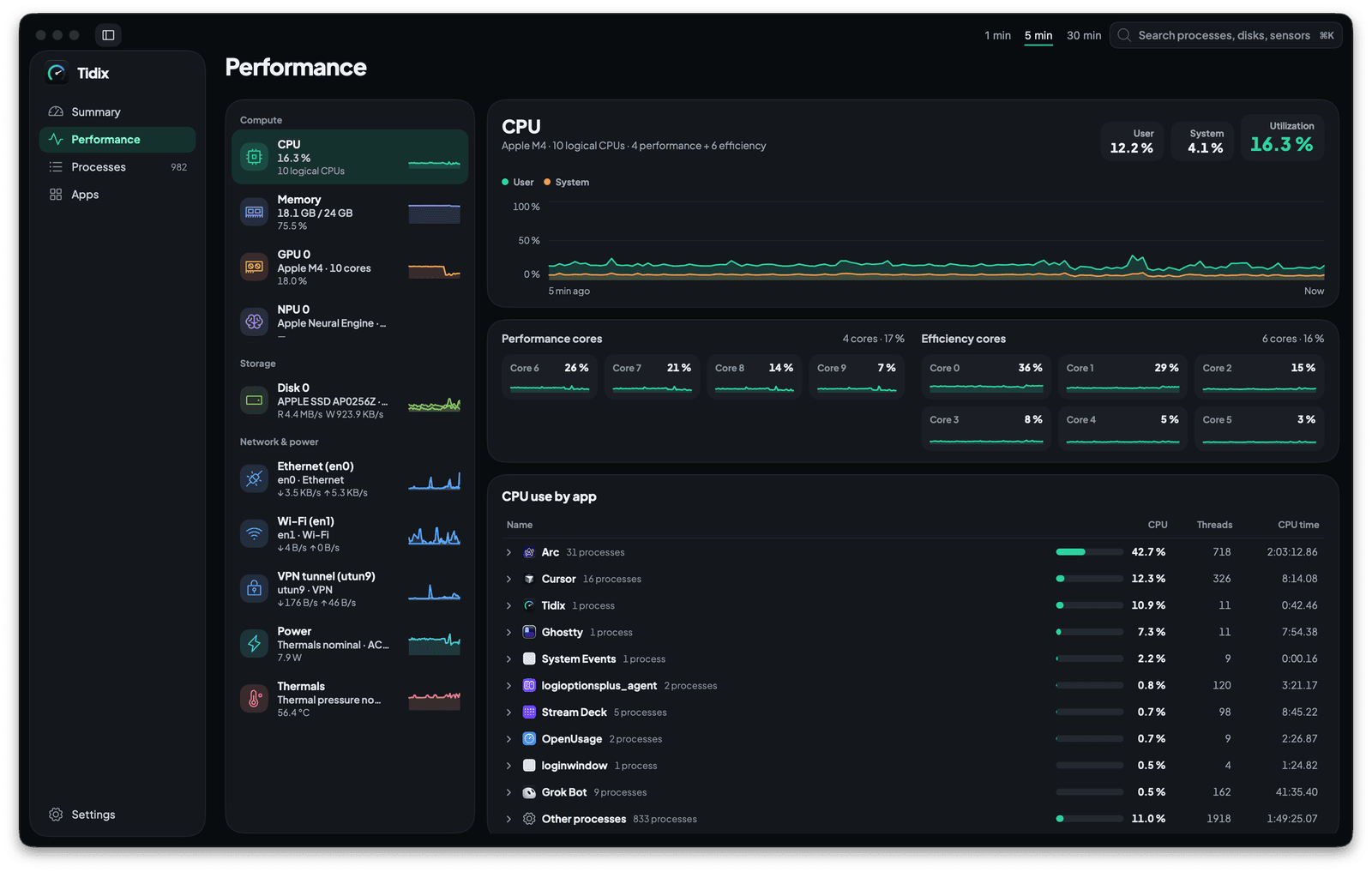
Performance
Each core, disk and network interface on its own live chart, with the apps behind the load.
See how it works
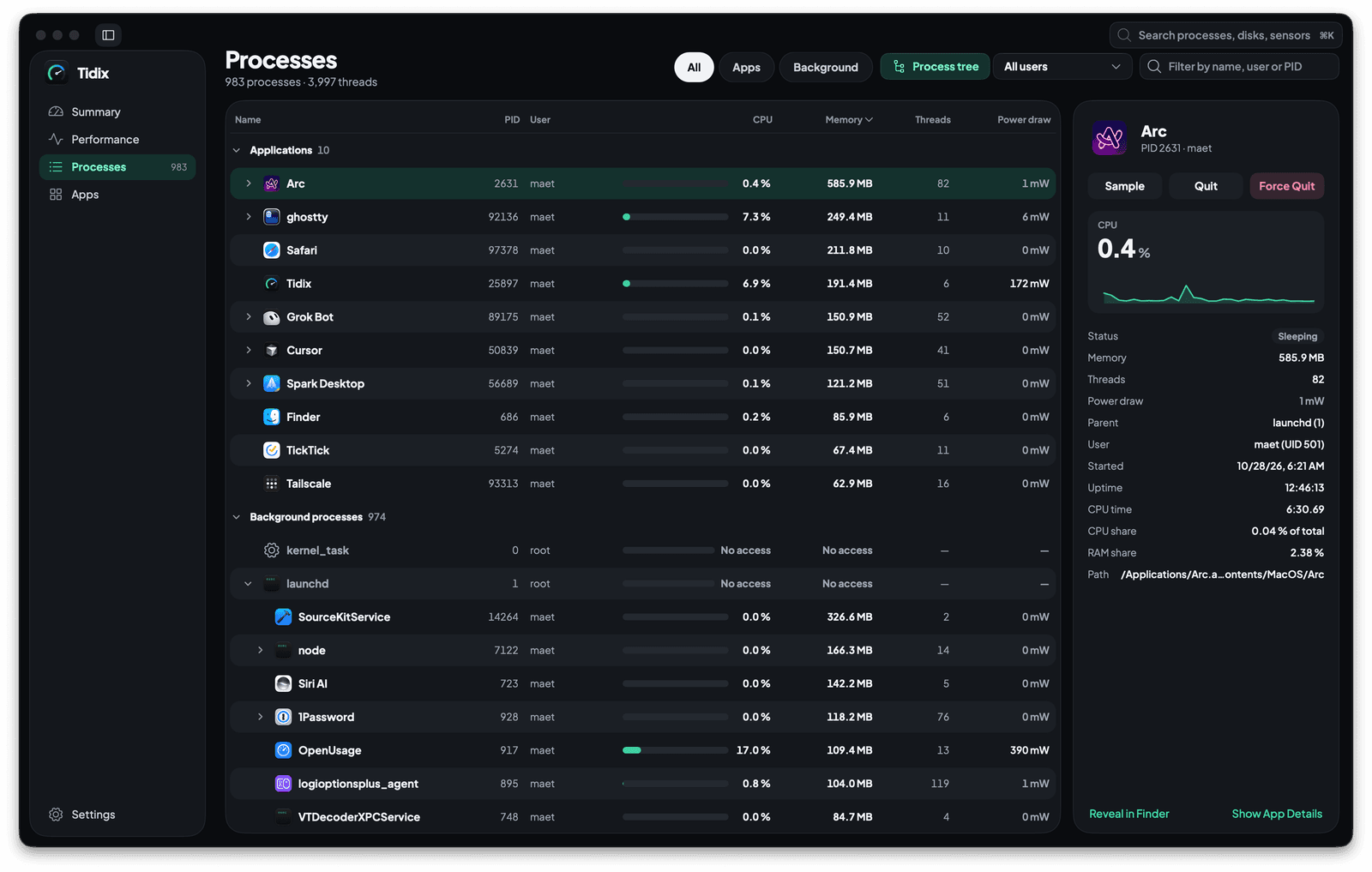
Processes
Every process in a tree with its CPU, memory and power draw, ready to quit, pause or sample.
See how it works
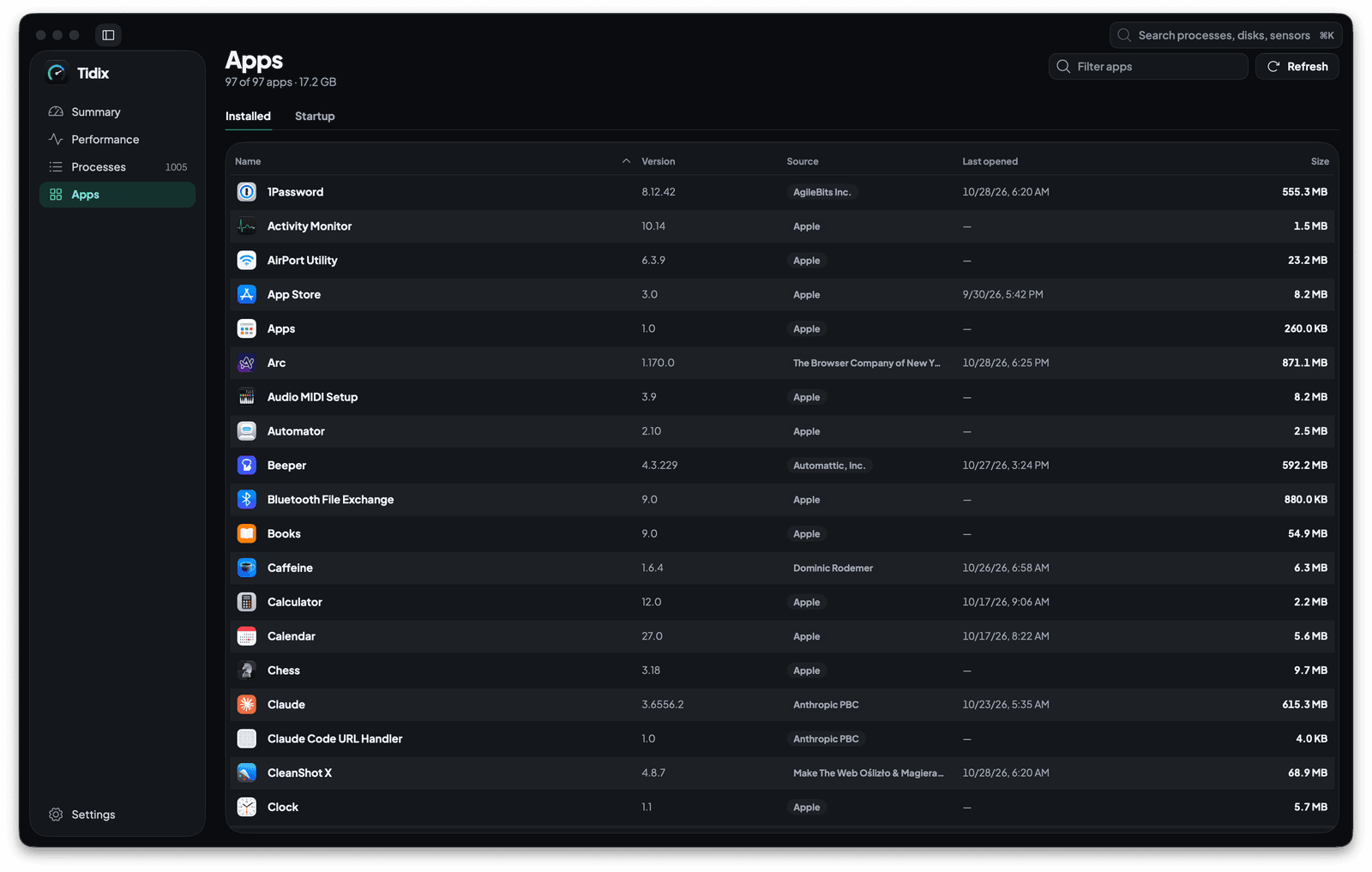
Apps
Every app on your Mac with its version, source and size, and everything set to start on its own.
See how it works
App details
Click any app for its processes, usage, 30 days of history and related files, and uninstall it to the Trash.
See how it works
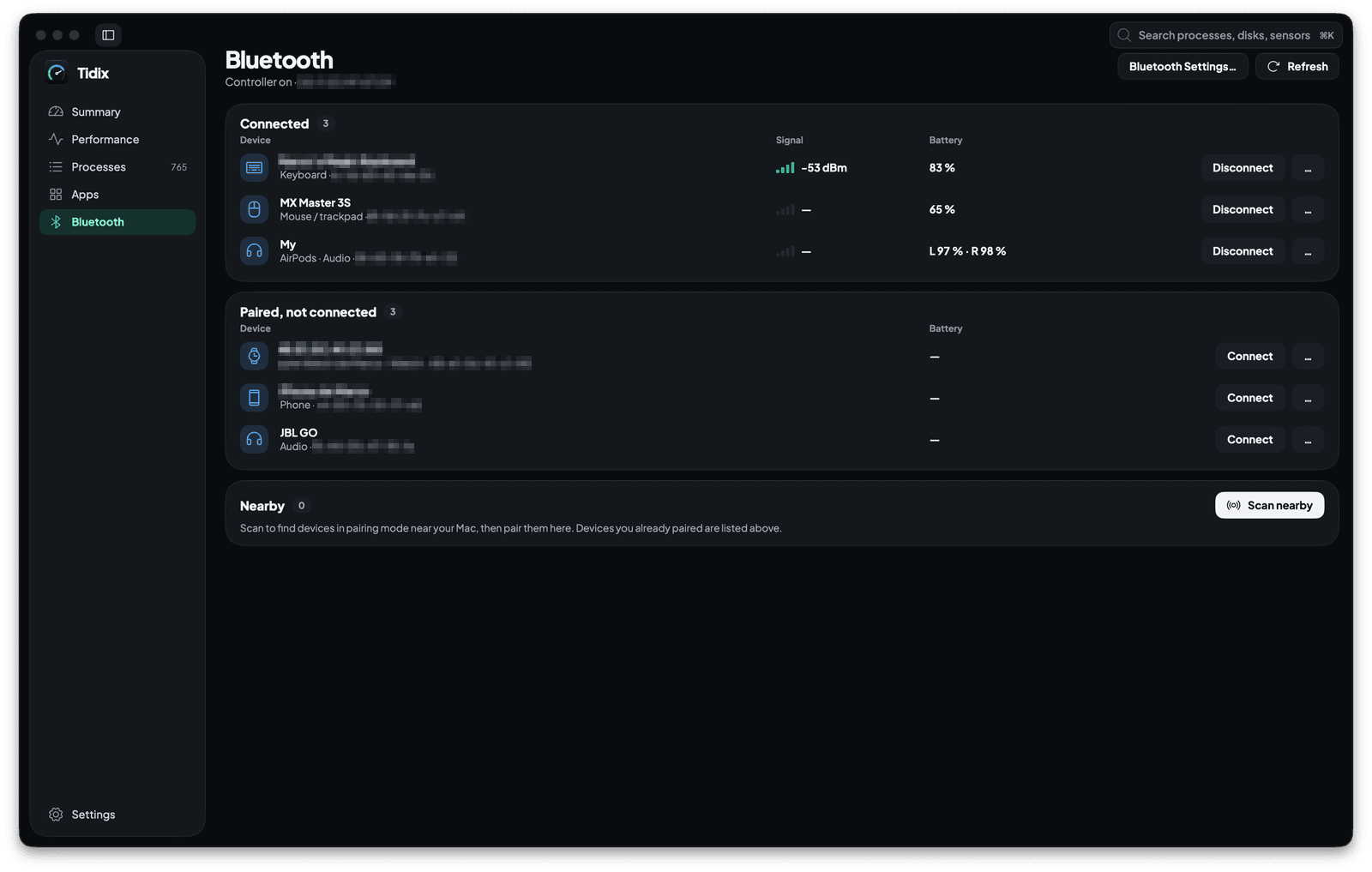
Bluetooth
Every paired device with its type, signal and battery. Connect, rename, forget or pair one from the same page.
See how it works
Also included
The smaller things that come with it.
Quick search
Search across Tidix with ⌘F or ⌘K and jump straight to a process, an app, or a disk.
Runs the way you work
Monitoring profiles from Power saving to Diagnostic, launch at login, running in the background, a global keyboard shortcut, and the units you prefer.
Safe updates
Tidix checks for updates at most once a day and installs one only after you agree and its signature is verified.
Your language, your look
English, Spanish, French, and German, switchable without a restart. Light or dark, or follow your Mac, with your own accent color.
Stop guessing. Start seeing.
Every core, sensor, disk, and process on your Mac, in one native app you pay for once.
Buy Tidix — from $5One-time purchase · 14-day refund · macOS 13 or later