Apps
Every app on your Mac, and what starts with it.
Activity Monitor shows the processes running right now, not the apps you have installed or what is set to start on its own. Tidix lists both on one page: every installed app, and every startup item with the app it belongs to.
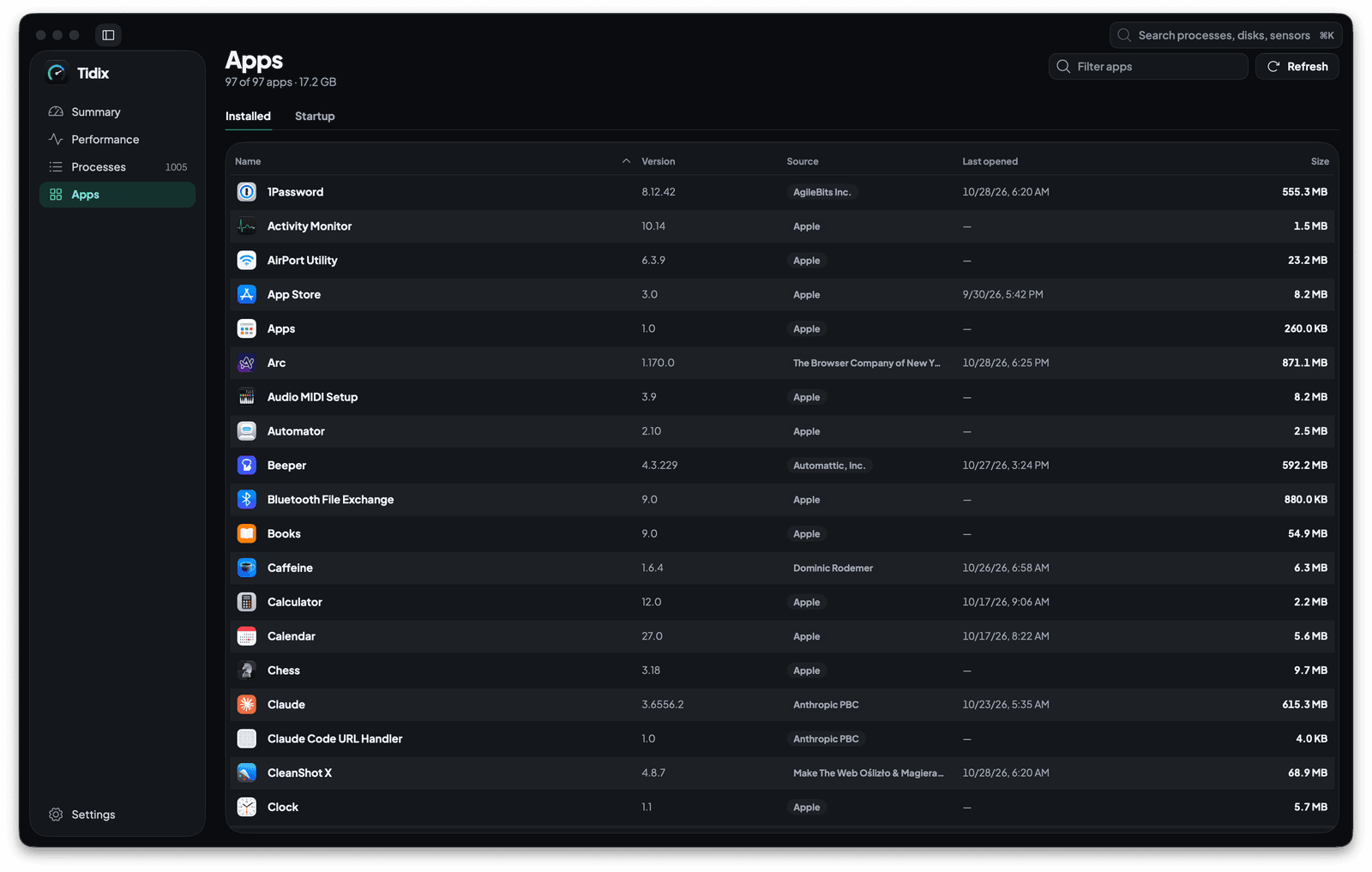
01 — Installed
Every installed app, running or not
The Installed view lists the apps in /Applications, ~/Applications and the folders macOS keeps its own apps in, including apps inside subfolders. Sort by any column, or type in Filter apps to narrow the list by name or bundle ID.
- The header counts the apps the filter shows, out of all of them, and their total size on disk.
- Click an app to open its App details; double-click it to show it in the Finder.
- Refresh scans the folders again after you install or remove an app.
02 — Columns
Version, source, last use and size at a glance
Source says Apple for Apple's apps, App Store for apps with a Mac App Store receipt, and otherwise the developer named in the app's code signature, or Unsigned when it has no developer certificate. Last opened is the date Spotlight recorded, and Size adds up every file inside the app, measured in the background while you browse.
- Versions sort as numbers, so a newer release lands where you expect it.
- Apps without a version, a date or a measured size sort last in either direction.
- Sort by Size or Last opened to find large apps you no longer open.
03 — Startup
Everything set to start on its own, in one list
The Startup view lists launch agents, launch daemons and login items next to the system extensions, DriverKit drivers and kernel extensions that apps installed. Apple's own jobs in /System and Apple's extensions are left out, so the list focuses on what was added to your Mac.
- Kind names each item: user agent, system agent, system daemon, login item, system extension, DriverKit driver or kernel extension.
- Status shows whether it is running, active, ready or off.
- Select an item to see what it runs: the program, its arguments, whether it runs at startup or on demand, and whether launchd keeps it alive. Extensions show their identifier, version and vendor instead.
- Show in Finder, or a double click, shows the item's file in the Finder.
04 — Switch
Turn a launch agent off without Terminal
The Enabled switch turns a launch agent off or back on for your user. Off, Tidix stops it and keeps it from starting at your next login; on, it loads it again right away. Under the hood it runs the same launchctl commands you would type.
- Login items and extensions: the switch tells you to manage them in System Settings → General → Login Items & Extensions.
- System daemons need administrator rights, so the switch shows the
sudo launchctlcommand to run instead. - If a command fails, Tidix shows the error and refreshes the list.
05 — Owner
Each startup item tied to its app
The App column names the app an item belongs to: the app its program lives in, the app it declares as its own, or the app whose bundle ID matches its label. Show in Installed jumps from the item to that app, and the other way round, the Runs at startup line of App details counts an app's items, with Show to list just those.
- Type an app's name in Filter startup items to see everything it added.
- Sort by App to group the items of each app together.
Why it matters
Before and after
With Activity Monitor
Activity Monitor lists the processes running right now. An app you haven't opened isn't there, and a background agent shows up only while it runs, with nothing that says which app installed it or whether it will start again. Finding everything that starts with your Mac means checking System Settings and the LaunchAgents folders one by one.
With Tidix
Open Apps: Installed lists every app with its version, source, last use and size, and Startup lists every agent, daemon, login item and extension with the app it belongs to. Turn a launch agent's switch off to stop it now and at your next login.
How to use it
Where it is in Tidix
- Click Apps in the sidebar, or press ⌘4.
- Choose Installed or Startup at the top of the page. Tidix reopens the one you used last.
- Click an app to open its App details, or select a startup item to see its details under the list.
- To jump straight to the startup items, press ⌘K and type “startup” or
kext.
Compared
Apps: Activity Monitor and Tidix
| What | Activity Monitor | Tidix |
|---|---|---|
| Installed apps | Only apps that are running, listed as processes | Every app in your Applications folders, running or not |
| Version, source and size | Not shown | In sortable columns, with the date you last opened each app |
| Startup items | Not listed; a background agent appears only while it runs | Agents, daemons, login items and extensions in one list, running or not |
| Which app added an item | Not shown | The App column, with a jump to that app |
| Stopping an item from starting | Quit its process; it can start again at the next login | A switch turns a launch agent off for your user, now and at the next login |
The words behind it
- Startup item
Anything set to start on its own when your Mac starts up or you log in: login items, launch agents and daemons, and the extensions apps install. Tidix lists them in the Startup view of its Apps page.
- Launch agent
A background program that launchd, the macOS service manager, starts for a logged-in user, described by a property list in a
LaunchAgentsfolder. Apps use them for updaters, sync and other helpers. - Launch daemon
A background program that launchd starts for the whole system rather than one user, even before anyone logs in, described by a property list in a
LaunchDaemonsfolder. Daemons usually run as root, so changing one takes administrator rights. - Login item
An app or helper that opens automatically when you log in to your Mac. macOS manages login items in System Settings, under General.
- System extension
Code an app installs to extend macOS from outside the kernel, such as a network filter, a security tool or a DriverKit driver. It replaces many kernel extensions and usually needs your approval in System Settings before it runs.
- Kernel extension
A
.kextbundle that loads code into the macOS kernel itself, the older way to add drivers and low-level features. Apple now steers developers to system extensions and DriverKit, and Tidix shows whether each third-party kext is loaded.
Questions
Why isn't one of my apps listed?
Tidix looks in /Applications, ~/Applications and the folders macOS keeps its own apps in, two levels of subfolders deep. An app kept somewhere else, such as Downloads or an external disk, isn't listed. After installing an app, press Refresh to scan again right away.
Why do some apps show a dash under Last opened?
The date comes from Spotlight, which records when an app was last opened. When Spotlight has no date for an app, for example one you have never opened, Tidix shows a dash instead of guessing.
Can Tidix turn off any startup item?
The switch turns launch agents off and on for your user. macOS manages login items and extensions, so Tidix tells you to find them in System Settings → General → Login Items & Extensions; system daemons need administrator rights, so Tidix shows the sudo launchctl command to run instead.
Is it safe to turn a launch agent off?
Turning one off stops it and keeps it from starting at your next login; no file is deleted. Some apps rely on their agent to update or sync, so if an app stops working as it should, turn the switch back on and Tidix loads the agent again.
Why does a startup item have no app?
Tidix links an item to an app when its program lives inside the app, when the item names the app as its own, or when its label matches the app's bundle ID. When none of these holds, the App column shows a dash. An app outside the folders Tidix scans still shows its name, but Show in Installed isn't available for it.
What does an app's size include?
Every file inside the app bundle, hidden files included, counted by the space it takes on disk. Files the app keeps elsewhere, such as caches and preferences, aren't part of it; App details lists those as related files.
Keep reading
More of Tidix
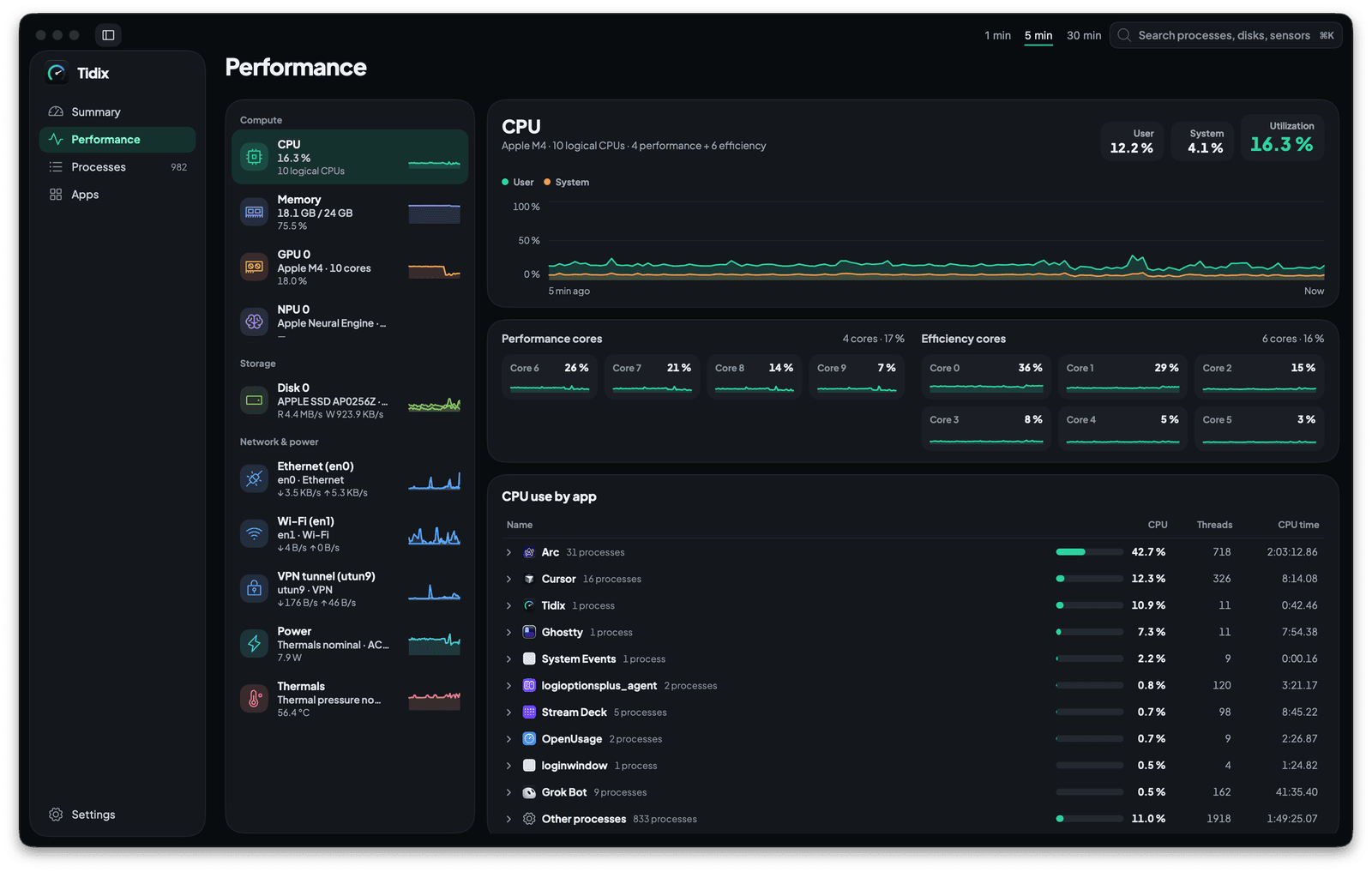
Performance
Each core, disk and network interface on its own live chart, with the apps behind the load.
See how it works
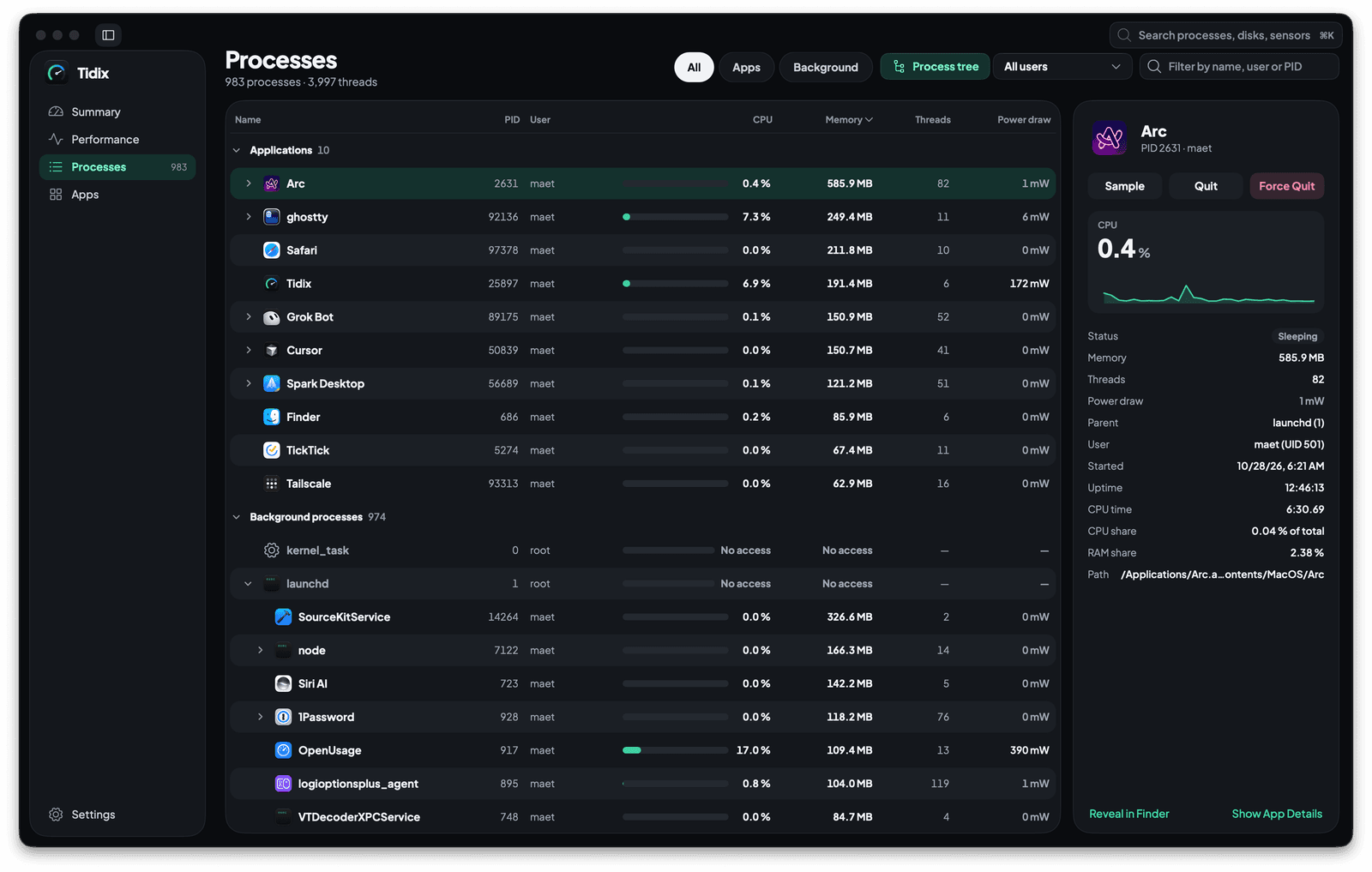
Processes
Every process in a tree with its CPU, memory and power draw, ready to quit, pause or sample.
See how it works
App details
Click any app for its processes, usage, 30 days of history and related files, and uninstall it to the Trash.
See how it works
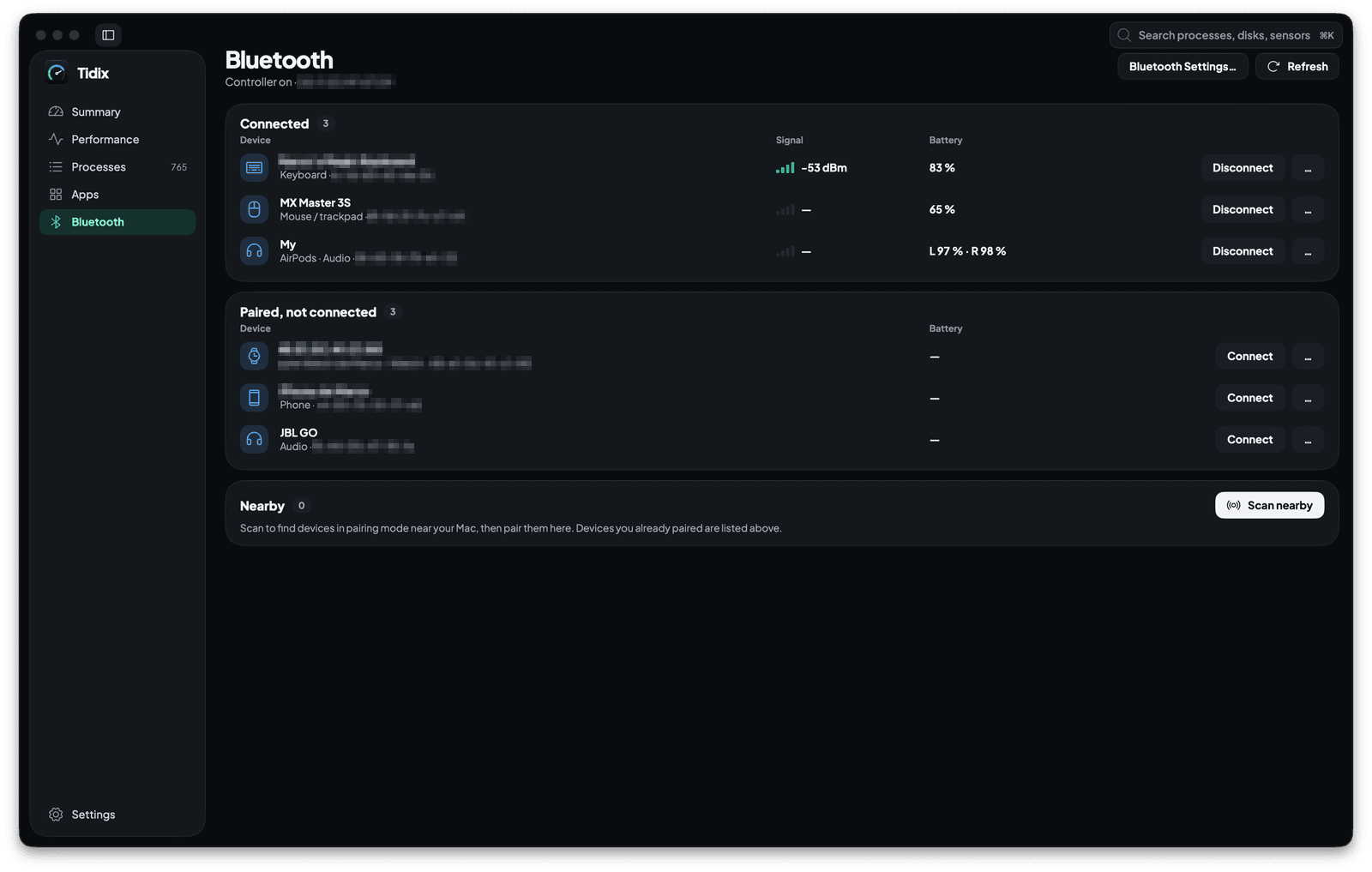
Bluetooth
Every paired device with its type, signal and battery. Connect, rename, forget or pair one from the same page.
See how it works
Stop guessing. Start seeing.
Every core, sensor, disk, and process on your Mac, in one native app you pay for once.
Buy Tidix — from $5One-time purchase · 14-day refund · macOS 13 or later